

Policy Rules
Create and manage CEL-based policy rules that control AI tool behavior.
Policies are rules that SealGate evaluates against every AI tool call in real time. They can block actions, tag sessions, set access-control levels, and more - all without changing AI tool configuration.
The Policies View
Go to Policies in the sidebar. The page is split into two panels:
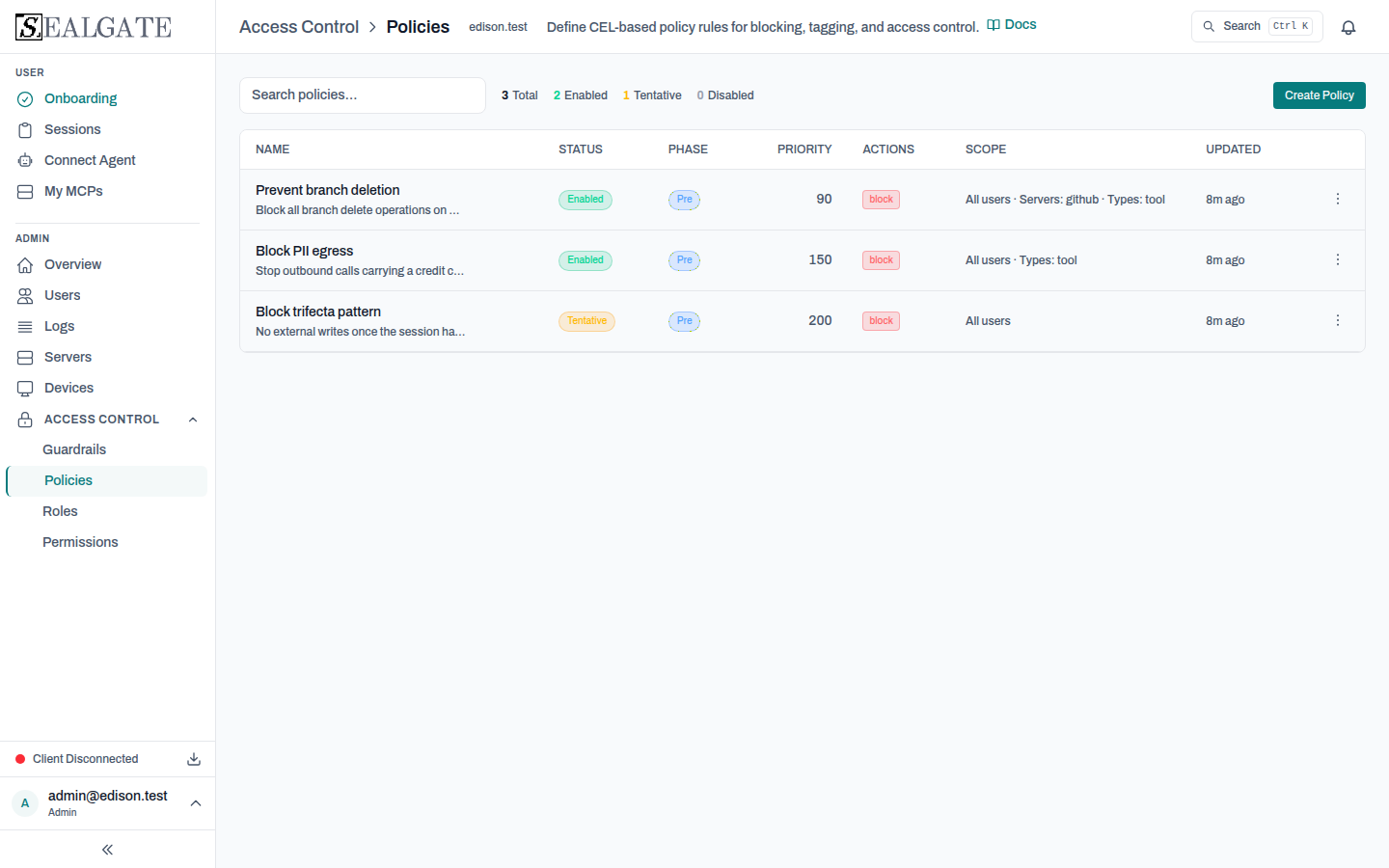
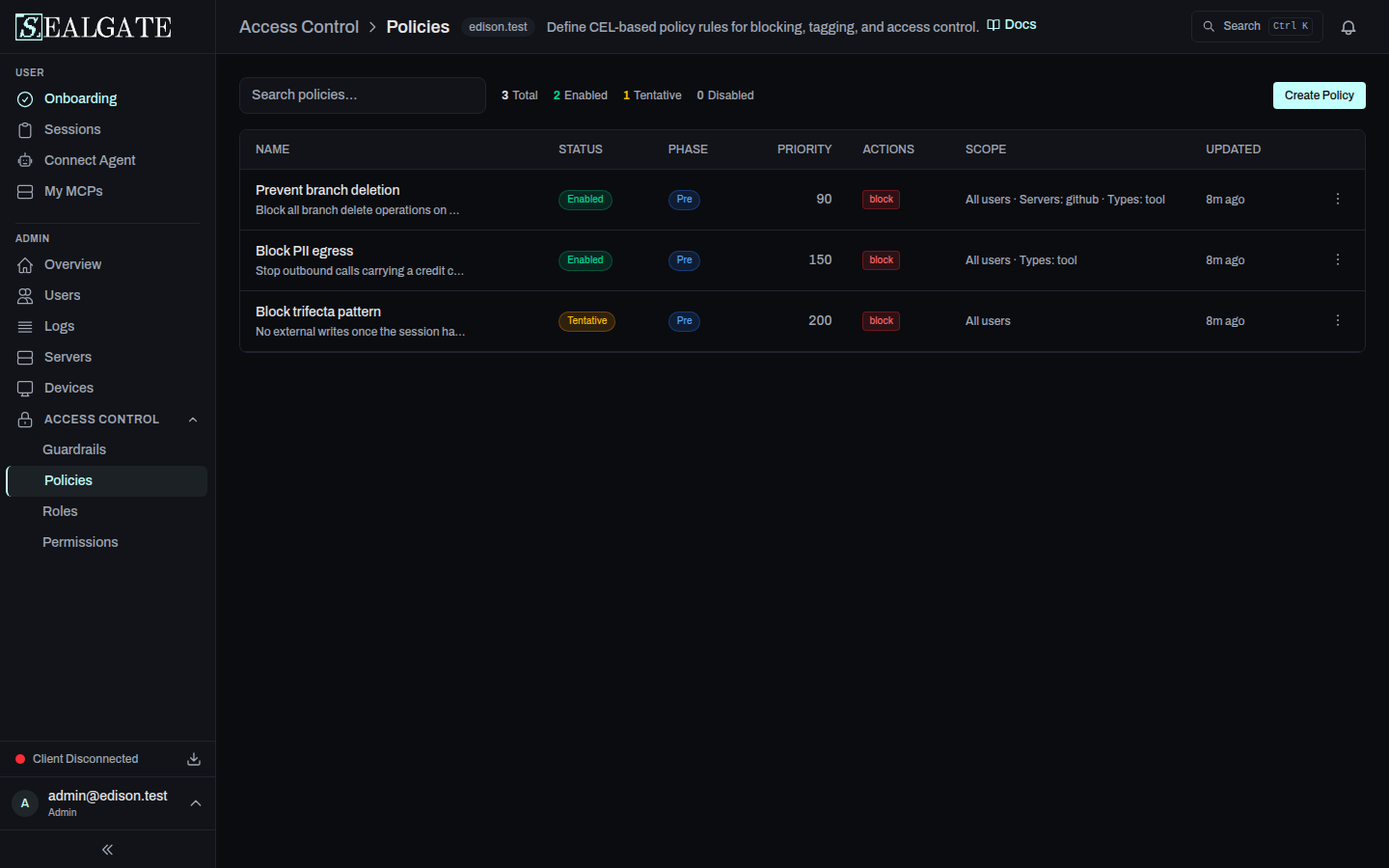
- Left sidebar - list of all rules, grouped by status, with a search box.
- Right panel - details for the selected rule.
The summary strip at the top of the sidebar shows counts of enabled, tentative, and disabled rules at a glance.
Rule Statuses
| Status | Meaning |
|---|---|
| enabled | Rule is active and enforced on every matching tool call. |
| tentative | Rule is evaluated but only logged - actions are not applied. Useful for testing a new rule safely. |
| disabled | Rule is stored but never evaluated. |
Rule Phases
Each rule runs in one of two phases:
| Phase | When it runs | Blocking behavior |
|---|---|---|
| pre | Before the tool call executes. | Prevents execution. |
| post | After the tool call completes; the tool's result is available in the expression. | The call has already run - the result is replaced with an error before returning to the AI, preventing exfiltration of sensitive output. |
CEL Expression Context
Rules are written in CEL (Common Expression Language). Expressions evaluate against four top-level objects representing the current tool call:
| Variable | Fields | Notes |
|---|---|---|
principal | user_id, email, roles | The user making the call. roles is a list of their custom role names. |
resource | type, name, server | What's being called. type is "tool", "resource", or "prompt". |
tool | args, input_schema, output_schema, result, structured_content | result and structured_content are only populated in post phase. result holds the result's content blocks. structured_content holds its structured content, when the tool returns any. |
session | has_private_data_access, has_untrusted_content_exposure, has_external_communication, highest_acl_level, tool_history, tags | Current session state, including the three Lethal Trifecta flags. |
If the expression evaluates to true, the rule's actions are applied.
resource.server == "github" && resource.name == "delete_branch" &&
tool.args.branch == "main"
Built-in functions
| Function | Returns | Description |
|---|---|---|
pii_detect(value, [categories]) | bool | true if PII in any of the listed categories is found anywhere within value (searched recursively, including nested fields). Categories: "EMAIL", "API_KEYS", "PHONE", "CREDIT_CARD". |
Pair pii_detect on tool.args with a block action to stop an agent from sending sensitive data out through a tool. Scope the rule to your external-communication servers so detection stays off the hot path elsewhere.
pii_detect(tool.args, ["CREDIT_CARD", "API_KEYS"])pii_detect fails open: if the detector errors, the expression evaluates to false (the rule does not fire), so a detector hiccup never blocks legitimate traffic. It is defense-in-depth layered on the always-on Lethal Trifecta guard. Prefer high-precision categories (CREDIT_CARD, API_KEYS) for blocking - EMAIL and PHONE appear in many legitimate calls (a recipient address is an email), so blocking on them is usually too broad.
Detection runs on the arguments before any SealGate PII tokens are restored, so it catches raw PII the agent composed directly. Values that re-enter as an SealGate token (from a prior redacted tool result) are opaque at this stage; those exfiltration paths are covered by the Lethal Trifecta guard instead. pii_detect is most meaningful in the pre phase on tool.args.
Actions
| Action | Effect |
|---|---|
block | Prevents the tool call from executing and returns an error to the AI. |
require_approval | Holds the tool call and asks a human to approve it. See Human approval. |
redact | Masks PII spans in the tool result before the AI sees it (post phase only). See PII redaction. |
mark_private | Flags the session as containing private data. |
mark_untrusted | Flags the session as containing untrusted external content. |
mark_write | Flags the session as having performed a write operation. |
set_acl | Raises the ACL level of the session (PUBLIC, PRIVATE, or SECRET). It never lowers it. |
add_tag | Adds a key-value tag to the session. Later calls in the same session read it as session.tags. A new session starts with no tags. |
allow_override | Explicitly permits the call even if other rules would block it. |
Human approval (require_approval)
require_approval pauses the tool call mid-flight and asks a person. The agent is
held waiting; nothing executes until someone answers or the timeout elapses. On a
client that gets the in-chat card (see inline below) the call returns straight
away instead of holding, with the card in the agent's own chat: the pause is the
same, it just waits in the conversation rather than on the connection, and
nothing executes until someone answers there either.
| Field | Meaning |
|---|---|
approval_reason | Plain-language text shown to whoever decides. Defaults to naming the rule. |
approval_channels | Pin the prompt to web, desktop, slack, telegram, and/or inline. Leave empty to use each user's own notification preferences. |
approval_timeout_s | How long to hold the call. Defaults to the server's EDISON_APPROVAL_TIMEOUT_S. Does not apply to the in-chat card, which stays answerable for 10 minutes. |
inline puts the prompt in the agent's own chat as an approve/deny card on
clients that can render one.
Pinning inline on its own still leaves the dashboard as a resolution surface:
any pin that would otherwise reach nobody falls back to the dashboard, and the
card never counts towards that floor, so there is always a dashboard prompt you
can act on.
Gates are always fail closed: a prompt nobody answers before the timeout
denies the call. The old approval_on_timeout field is deprecated - saving a
rule that sets it to allow (fail open) is rejected, stored rules using it are
treated as deny, and the API only ever reports deny.
The prompt goes out on every selected channel at once and carries Approve/Deny
buttons. Answering on any one of them dismisses it everywhere else, and the
decision is recorded in the session's audit trail as approve_policy_gate /
deny_policy_gate. Users set their own destinations under
Settings → Approval notifications, where each channel can also be test-fired.
require_approval is available in the pre phase only. A gate decides whether
something happens, so it has to be asked before it does. By the post phase the
tool has run and its side effect has landed, so a prompt could only withhold the
result while still reading "approve this call?" - and a denial would be recorded
as a human stopping something that already took effect. Saving a post rule with
a require_approval action is rejected.
To withhold a result the agent should not see, use a block action on a post
rule: the call still runs, but the payload is replaced with a refusal.
If a rule would both block and require_approval, the block wins - there is no
decision to ask for when the call is denied outright.
PII redaction (redact)
redact replaces detected PII spans in the tool result with placeholders before the AI sees it. The call runs; only what the agent reads is anonymized. redact is available in the post phase only.
| Field | Meaning |
|---|---|
redact_categories | One or more PII categories to mask: EMAIL, PHONE, CREDIT_CARD, API_KEYS. At least one is required. |
redact_style | label (default) replaces with [EMAIL_ADDRESS]; hash appends a session-stable 8-hex-char suffix ([EMAIL_3f9a12bc]) so the agent can tell two values apart without learning the value. |
pii_detect(tool.result, ...) also scans tool.structured_content, because the agent receives both. A tool that puts PII only in its structured content is still caught. This applies when the argument is tool.result itself. A value made from it, such as tool.result[0], holds only that part.
Pair pii_detect on tool.result with a redact action on a post rule so the filter decides whether to mask at all and the action decides what to mask:
pii_detect(tool.result, ["EMAIL", "PHONE"])When several redact rules match the same call, their categories are unioned and all categories are masked. If label and hash rules list the same category, hash wins. allow_override does not cancel a redact action; use block on a post rule to suppress a result instead.
Redaction fails closed: if masking raises an error the unmasked result is never returned - the agent receives a refusal naming the rule.
Rule Scope
Rules can be scoped to specific principals and resources:
- Principal scope - Target all users globally, specific roles, or specific users.
- Resource scope - Target specific servers, element types (tools/resources/prompts), or name patterns.
Rules with no scope apply to all principals and resources.
Priority and Overrides
When multiple rules match the same tool call, every matching rule's actions apply. Priority governs how block, require_approval, and allow_override interact:
- A
blockis cancelled only if a matchingallow_overriderule has equal or higher priority. - The same rule cancels a
require_approvalgate, so an explicit exemption doesn't stop to ask about a call it was written to wave through. - Otherwise the block wins.
- When several
require_approvalrules match, the highest-priority one owns the prompt - its reason, channels, and timeout are the ones used.
| Rules matching | Priorities | Outcome |
|---|---|---|
block + allow_override | 100 vs. 100 | ✅ Allowed (override ≥ block) |
block + allow_override | 100 vs. 99 | ❌ Blocked (override < block) |
block alone | any | ❌ Blocked |
require_approval + allow_override | 100 vs. 100 | ✅ Allowed, no prompt |
require_approval + allow_override | 100 vs. 99 | ⏸️ Held for approval |
block + require_approval | any | ❌ Blocked (no prompt) |
Non-block actions (mark_*, set_acl, add_tag) apply whenever their rule matches and are not affected by this resolution. In the pre phase, mark_* count as effects of the call itself, so the Lethal Trifecta check judges the call with them before it runs. In the post phase, they flag the session after the call.
Session tags
An add_tag action puts a tag on the session. Later calls in the same session read it as session.tags. Together, two rules can stop a session after it touches sensitive data:
| Rule | Phase | Filter expression | Action |
|---|---|---|---|
| Tag the session | post | pii_detect(tool.result, ["EMAIL", "PHONE", "CREDIT_CARD", "API_KEYS"]) | add_tag with key pii_detected |
| Block later calls | pre | "pii_detected" in session.tags | block |
A tag blocks later calls only. The result that set the tag still reaches the agent. A call that started before the tag existed also still runs, for example a second call that the agent sent in parallel. To withhold the result itself, add a post rule with the same filter and a block or redact action.
A tag stays on the session until the session ends. A new session starts with no tags. If you delete the block rule, later calls run again. If you disable the tag rule, the tags that exist stay.
A block on a tagged session also blocks SealGate's built-in tools, such as builtin_whoami and builtin_get_security_status. This is deliberate: the rule fails closed. builtin_obtain_session_token always starts a new session with no tags, so an agent can always continue in a clean session. To let built-in tools run in a tagged session, exclude them in the filter expression:
"pii_detected" in session.tags && resource.server != "builtin"Creating a Policy
- Click Create Policy in the left sidebar.
- Choose a template from the template picker, or start from scratch.
- Fill in the rule name, CEL expression, phase, priority, actions, and scope.
- Save the rule.
Testing Rules Before Enabling
The rule editor has an evaluate panel that runs your CEL expression against synthetic context - principal, resource, tool args, and session flags - without saving the rule. Use it to confirm the expression matches the cases you expect and to see which actions would fire.
For a gentler rollout against real traffic, save the rule with status tentative. Matches are logged server-side as ⚠️ TENTATIVE match - would apply actions: ...; there is no dedicated dashboard view for tentative hits today, so check server logs or your SIEM. Promote the rule to enabled once you're confident.
Editing and Deleting
Select a rule in the sidebar, then click Edit or Delete in the detail panel.